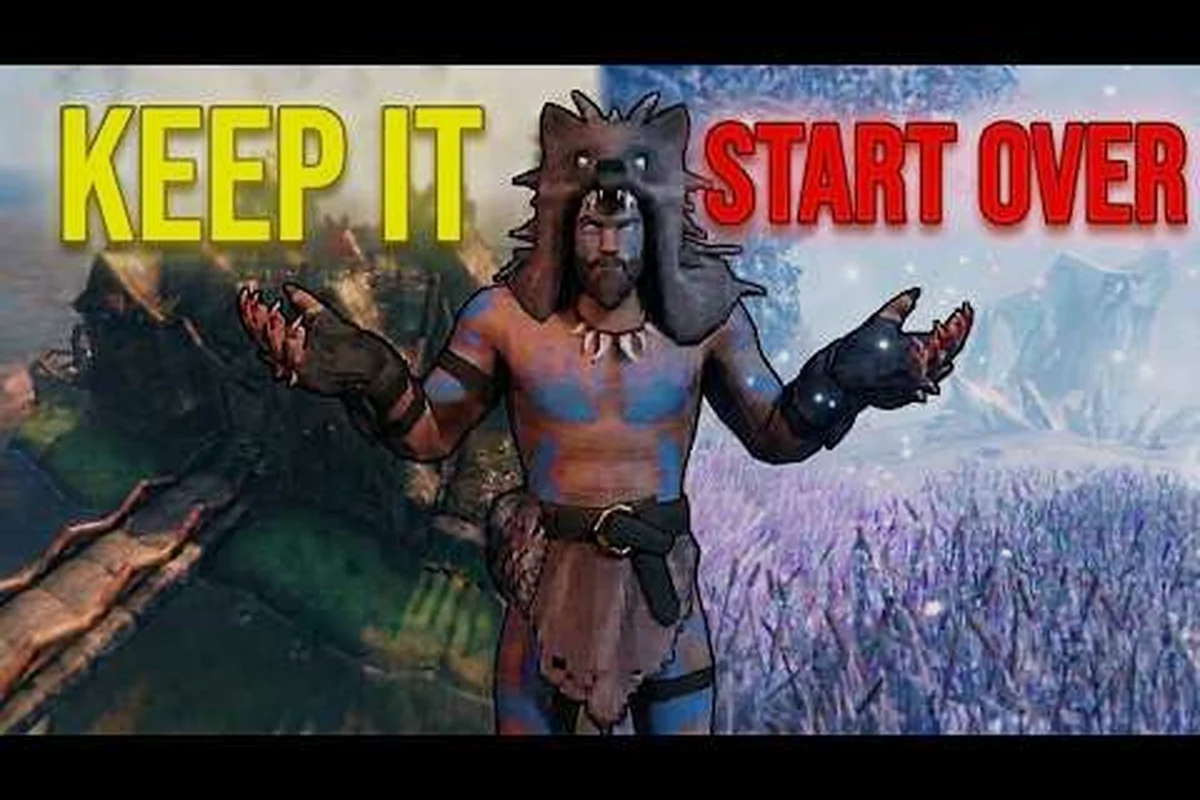
Valheim 1.0 is live, and every returning Viking now faces the same choice this restart guide is built to answer: carry your existing world into the new content, or start a brand-new seed and replay the full Norse survival arc with the 1.0 ruleset? Worlds created during Early Access load with the Deep North biome already accessible at the far northern edge of the map, but a fresh run gives you the redesigned boss gating, the polished progression curve, and the new World Modifiers that simply did not exist when your current save was born. According to the Valheim on Steam store page, returning players can carry worlds into 1.0, while a large share of the community recommends starting fresh for the complete experience.
This Valheim walkthrough walks both paths in detail: how to keep your world, what carries over, and the exact steps for a clean 1.0 restart with tuned modifiers. It also covers the gear you should bank before wiping, the data you should back up, and how to dodge the three restart mistakes that ruin the first ten hours of a new run.
Carrying Your World Into 1.0 vs Starting a Fresh Run
The single biggest decision in any Valheim restart guide is whether to keep the world you already have. Carrying forward saves you dozens of hours, preserves your base, your portals, your ship fleet, and your boss progression — but it also locks in any imperfect map, any biome placement that gates you far from the new Deep North, and any balance quirks the 1.0 patch rebalanced. Starting fresh burns that progress but hands you the full 1.0 experience as the developers intended.
What Carries Over to a 1.0 World
According to community data summarized on the Valheim Wiki – Fandom, worlds created in Early Access load directly into 1.0 with most state intact. The new Deep North biome becomes accessible by sailing to the far north edge of the existing map, which means a carried world is the fastest route to the Kall Fimbulbringer finale without replaying the entire Forsaken sequence.
| Carry-Over Item | Status on 1.0 Load | Notes |
|---|---|---|
| World seed, map, and explored chunks | Preserved | Procedural terrain unchanged |
| Bosses defeated and Forsaken powers | Preserved | Eikthyr, Elder, Bonemass, Moder, Yagluth, The Queen, Fader all remain dead |
| Player inventories, hotbar, skills | Preserved | Items not removed by 1.0 remain; check Valheim patch notes for item deletions |
| Built structures, ships, portals | Preserved | Including any pre-1.0 workbench coverage |
| Tamed animals and pens | Preserved | Lox, boar, wolf, askvin herds all carry |
| Deep North biome | Newly generated | Sits north of your old Mountain band |
When Carrying Makes the Most Sense
Carrying your world is the right call when you have already invested 100+ hours, when your group of co-op Vikings has shared bases and portal hubs, or when you only care about experiencing the new content. The official Valheim 1.0 & Deep North – Release Date Reveal Trailer confirms that the biome and the final boss are the headline 1.0 additions, and a carried world gives you both within an afternoon of sailing.
Players returning for the Fader and Kall Fimbulbringer fights who have already cleared Plains, Mistlands, and Ashlands should keep the save. Replay value is highest for early-to-mid-game players who want the rebalanced progression curve and the new World Modifiers.
When a Fresh 1.0 Restart Is Worth It
A fresh start is the right call for players who never reached Mistlands in Early Access, for anyone whose current world has a frustrating seed, and for content creators who need a clean slate for a 1.0 series. A new world also gives you access to the World Modifiers panel at character creation, which is the most important new system this Valheim guide covers.
Setting Up a Clean 1.0 Restart With World Modifiers
The new World Modifiers system is the single biggest reason to consider a fresh start. Modifiers are toggled before world creation and they tune everything from combat difficulty to passive regeneration, allowing you to shape a run that fits your group skill level. Players who already know the Valheim progression guide inside out can crank difficulty; new players can use modifiers to soften the early grind.
The Core World Modifiers Explained
| Modifier | Effect | Best For |
|---|---|---|
| Combat | Multiplier on enemy HP and damage | Tuning boss difficulty for solo vs group |
| Death Penalty | Controls item and skill loss on death | Casual players who hate skill drain |
| Resources | Multiplier on gathering output | Builders who want more wood and stone |
| Raids | Frequency and intensity of base attacks | Solo players who do not want constant events |
| Build | Multiplier on structural integrity range | Architects of mega-bases |
| Passive Regen | Speed of natural HP/stamina recovery | Players who dislike the food rotation meta |
| Map | Reveal-on-explore vs always revealed | New players who want to see the full procedural layout |
According to the Valheim on Steam store page, these modifiers stack with the existing difficulty presets, which means you can combine a casual Death Penalty with a punishing Combat modifier for a true roguelike feel. Community testing reported on r/Valheim shows the most popular combo for groups is the default Combat with the Raids modifier cranked down, because base defense is the chore that burns out most co-op groups.
Step-by-Step: Starting a Fresh 1.0 World
-
Back up your existing world before deleting anything. Copy the entire
worldsfolder from your Valheim user data directory to a safe drive. This is your insurance if you regret the restart. -
Pick your seed carefully. Seeds that look great in the first 30 minutes can be biome-starved at the Mountains. The Valheim world seed guide covers how to read a seed and what makes a balanced 1.0 map.
-
Open character creation in single-player or via your dedicated server config, and toggle your chosen World Modifiers in the new panel.
-
Confirm the seed, name the world, and load in. The Meadows spawn you at the standard starting rock.
-
Build your starter workbench and hut before nightfall — the same first-hour checklist from the Valheim new player guide still applies, even to veterans, because the 1.0 balance changes touched early-game stamina costs.
Recommended Modifier Presets
| Preset Name | Combat | Death Penalty | Resources | Raids | Best Use Case |
|---|---|---|---|---|---|
| Hardcore Veteran | 1.5x | Standard | 1x | 1.5x | Late-game players wanting real risk |
| Co-op Casual | 0.75x | Casual | 1.5x | 0.5x | New groups learning the 1.0 patch |
| Solo Builder | 1x | Casual | 3x | 0.25x | Solo players who want to focus on megabases |
| 1.0 Purist | 1x | Standard | 1x | 1x | First-time 1.0 players who want the true experience |
Backing Up Gear and Data Before a Restart
A good Valheim restart guide never lets a player wipe a world without first preserving the things that matter. The 1.0 patch added some quality-of-life around world transfer, but the only way to keep your best gear, your best seeds, and your admin console tweaks is to back them up manually.
What to Back Up Before Restarting
| File or Folder | Location | Why It Matters |
|---|---|---|
worlds folder | %AppData%/LocalLow/IronGate/Valheim/worlds | Your world files, including the .db and .fwl |
characters folder | Same parent directory | Each character save, including skills and hotbar |
perch settings | Same parent directory | Per-world metadata, sometimes called the "perch" file |
| Server config | Steam install or server folder | Custom admin lists, password, port settings |
adminlist.txt and bannedlist.txt | Server folder | Permission files for dedicated servers |
| Seed list | Your notes | Any seeds you want to revisit later |
Players running a Valheim dedicated server should stop the server, archive the entire valheim_server data directory, and only then wipe the world file. Community reports on r/Valheim confirm that the most common restart mistake is forgetting the perch file, which can lock the new world out of certain map features if not regenerated cleanly.
Gear You Should Bank Before Wiping
If you intend to start a new world but want to keep a single player character across both saves, you can transfer gear by dropping it in a co-op world and re-claiming it. The cleaner method is to bank your best items in a single chest on a friend's world, or to use admin commands to spawn copies on the new world. The Valheim is it worth it guide discusses the official stance on cross-world transfers, which is that they are not natively supported and require either a co-op handoff or a server admin.
| Item Tier | Examples | Worth Banking? |
|---|---|---|
| Endgame weapons | Flametal Mace, Mistwalker, Demolisher | Yes, hard to recraft |
| Boss trophies | All seven Forsaken trophies | Yes, progress gates |
| Rare resources | Eitr Sap, Flametal Ore, Black Marbles | Yes, hours of farming |
| Mid-game gear | Padded Armor, Carapace Shield | Optional, replaceable in 2-3 hours |
| Starter gear | Troll Set, Root Armor | No, easy to re-craft |
Restart Mistakes That Ruin the First 10 Hours
Even with the right Valheim guide in hand, players lose their first 10 hours of a fresh run to the same handful of avoidable mistakes. The 1.0 patch tightened early-game balance, so 2026-era Vikings need to adapt their old routes.
The Three Most Common Restart Mistakes
| Mistake | What Happens | How to Avoid |
|---|---|---|
| Ignoring the Rested buff | Stamina regen is sluggish, combat feels unfair | Build a covered workbench area with a fire and a chair within the first 20 minutes |
| Skipping food stacking | You die to a Greyling because you only have one food buff | Always run three foods by the end of the first day — even berries and honey count |
| Burning portals too early | You cannot progress because the Boss Gates are too far away | Only build your first portal network after defeating The Elder and unlocking the Swamp |
| Not banking the Troll Set | The new armor balance makes early Plains much harder | Unlock the Troll Set bonus before you push past Black Forest |
| Picking a bad seed | Mountains or Plains are placed across an ocean | Read the Valheim world seed guide before committing |
Why These Mistakes Hurt More in 1.0
The 1.0 patch tuned stamina costs, food durations, and the Rested buff radius. According to the Valheim 1.0 & Deep North – Release Date Reveal Trailer and community testing on r/Valheim, early-game combat now punishes players who try to brute-force a Greyling with default stamina, because the 1.0 stamina curve favors food-stacked, Rested Vikings over raw dodging. The cleanest restart is one that respects the new food meta and builds a starter base that already qualifies for the Rested bonus.
Choosing the Right Path for Your Group
A Valheim review of the 1.0 launch would not be complete without addressing how the restart choice differs for solo, co-op, and dedicated-server groups. Each format has a different optimal path because the cost of redoing content scales with the number of players.
| Group Format | Recommended Path | Reasoning |
|---|---|---|
| Solo player, first 1.0 run | Fresh world, default modifiers | Full 1.0 experience, learning curve intact |
| Solo player, veteran | Carry world | Replaying 80+ hours for two new biomes is poor ROI |
| 2-player co-op, new | Fresh world, Casual Death Penalty | Co-op is more fun when wipe risk is low |
| 4-player co-op, veteran | Carry world, increase Combat modifier | They want challenge, not repetition |
| 10-player dedicated server | Carry world, plan a second 1.0 server | Re-creating a 10-player base network is impractical |
| Content creator | Fresh world with curated seed | Clean narrative arc for the audience |
The decision matrix is simple: the longer your existing world has been alive and the larger your co-op group, the stronger the case for carrying it forward. The shorter your current save and the more curious you are about the rebalanced progression, the stronger the case for a fresh start with tuned World Modifiers.
A final note on community consensus: posts on r/Valheim consistently split into two camps — veterans carrying their main world to chase the Deep North finale, and players starting a new seed to experience the 1.0 balance changes firsthand. Both paths are legitimate, and the game's save system is robust enough that you can experiment without burning your original file as long as you back it up first.
Frequently Asked Questions
Should I restart Valheim for 1.0?
Restart only if your current world is under 50 hours, if your seed has bad biome placement, or if you specifically want the rebalanced early-game curve. A carried world loads with the new Deep North biome and the Kall Fimbulbringer finale already accessible, which is the fastest path to the new content for veteran players.
Can I keep my gear if I restart in Valheim?
Yes, but only through a co-op handoff or via admin commands on a dedicated server. Drop your best gear in a friend's world before wiping, or use the admin spawn command to recreate key items like the Flametal Mace or Mistwalker on the new world. Native cross-world transfers are not supported in this Valheim walkthrough of the system.
What are World Modifiers in Valheim 1.0?
World Modifiers are toggles at character creation that tune Combat, Death Penalty, Resources, Raids, Build integrity, Passive Regen, and Map reveal. They let solo players soften the difficulty and co-op groups crank boss HP up for a real challenge without console commands.
Will my Early Access world load in 1.0?
Yes, according to the official Valheim on Steam store page, Early Access worlds load into 1.0 with the Deep North biome generated at the far north edge. The new content is added on top of your existing map rather than replacing it, which means your portals, ships, and bases all survive the patch.
What is the best seed for a 1.0 restart?
The best seed is one that places Mountains and Plains within two sail-days of your Meadows spawn and that places two or more nearby Swamps for Sunken Crypt runs. Read the Valheim world seed guide for the full criteria, because a 1.0-friendly seed needs accessible Deep North sailing routes in addition to the standard biome balance.